The New Personal Website Stack
I have seen the blog wars, and written in their muddy trenches.
I learned some HTML. I built in Microsoft FrontPage, and later used Blogspot, Typepad, Posterous, and Squarespace. You get the idea.
Things have changed fast. Now you can build and maintain the exact website you want, quickly and far cheaper than ever. Without technical knowledge.
Personal websites are back, and so is mine.1
Using Michael Dean’s post as a template, I wrote up goals for my site, loaded it all into Codex (OpenAI’s coding agent), and told it to create a site plan. I wanted a simple site (modeled somewhat after the timeless Daring Fireball) so I could focus on writing.
With that in place, I turned Codex loose.
The tech stack
Obsidian
The note-taking app Obsidian is home to all my content, as opposed to a complex content management system. Book reviews, my Kindle highlights, and new posts all live as simple Markdown files in Obsidian. No database needed—just text files on my Mac.
If you’ve never used Obsidian2 or worked with Markdown, don’t fret. Both are simple enough to get started with. And if you’re confused by either, ask AI. It will explain whatever you need to know.
Here’s what a post looks like in Markdown:
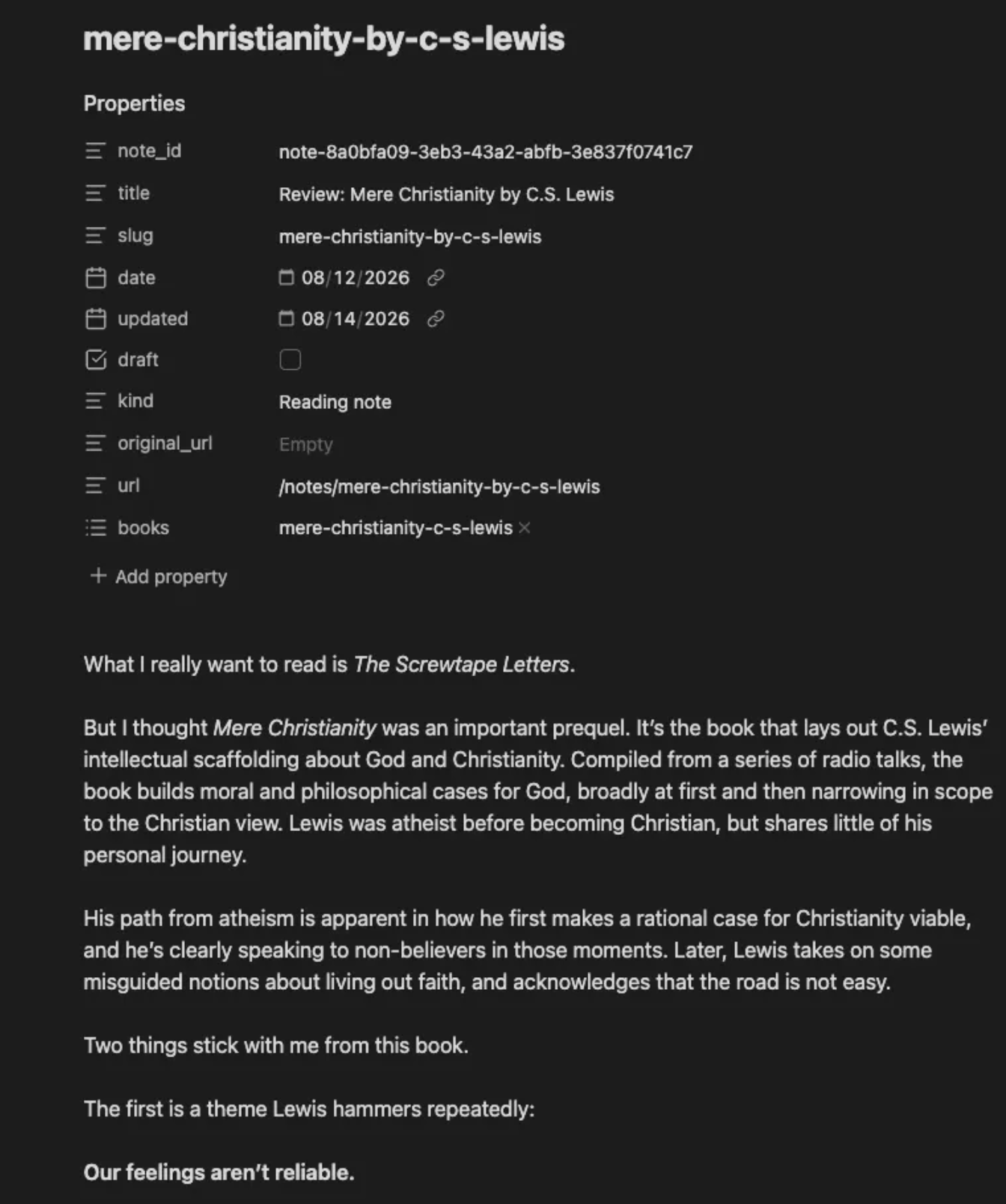
The properties at the top tell the website what to do with the post. There’s also a draft checkmark. When I remove the check and press the publish button, the note is uploaded to the next step.
GitHub
GitHub is where a complete history of the website is stored, and where automated sanity checks take place (reviewing metadata, links, images, and more to make sure everything works). Codex built the set of review rules. If all the lights for a new post turn green, then it is on to the next step. If something is off, Codex diagnoses the problem.
Cloudflare
Cloudflare hosts and serves the website from my custom domain. Because my site is small and simple, I pay Cloudflare nothing today. If tons of you visit, I might have to pay $5 a month, eventually. In contrast, Squarespace (which, to be fair, handles every step of site building and hosting) is around $400 a year now.
Think of the infrastructure like this:
-
Codex: The contractor who built and maintains the site.
-
Obsidian: The workshop where content is written and organized.
-
GitHub: The storage and quality control facility where file versions are kept and inspected.
-
Cloudflare: The storefront where the finished site is presented to visitors.
As a reminder:
I cannot code. I have a rudimentary understanding of what’s going on, but Codex built the infrastructure and process for me. I made decisions around site design and structure. Codex did all the dirty work, and makes additional site changes at my discretion.
I have some knowledge of how websites should be organized, and what I wanted mine to look like. All I had to do was describe it.
Surprises
Codex had a few “ta-da” moments during the build.
First, I referenced my prior Squarespace website in my design brief. On its own, Codex found my downloaded Squarespace site content archive on my Mac,3 and pulled in and formatted all my old posts in Obsidian, so they were part of my new site.4
Codex also found, without me asking, the 26,464 Kindle highlights I had stored in a CSV file from this project. It built unique pages for each book and attached all the Kindle highlights to each book’s page.
Codex also built custom buttons in Obsidian:
-
Publish a note (blog post)
-
Add a new book web page
-
Add a one-off web page
-
Download new Kindle highlights
-
Tag a book in a note
I’m not writing commands or running between applications. I tap buttons in Obsidian. The infrastructure may be complex, but my workflow is not.
Site structure
-
Start Here: A little about me, my work, and the website
-
Archive: All my posts
-
Books: A searchable list of over 450 books I’ve read in Kindle, with links to a book page for each. Each book page contains any posts I’ve written which reference the book, and the Kindle highlights for that book from my library.
-
Newsletter: A signup page for my Substack.
Over time, I’ll add some additional sections, but will fight complexity. Site-fiddling is a great way to avoid writing, while telling yourself you’re being useful.5
AI has made bespoke, personal websites available to people who want to focus on creating, not coding. It handles the technical backend so we focus on our craft.
Bring on the personal website revolution.
Footnotes
-
You can read why I relaunched my site here. In this post, I focus on the how. ↩
-
I hadn’t before this project, but had used Roam Research, which seems similar. ↩
-
Yikes? I mean, kinda cool, but also, yikes. ↩
-
This sparked an idea for another project for the site, which I will cover in a future post. It was a fun project. ↩
-
I saw writers use this delay tactic dozens of times at Write of Passage, and am a repeat offender myself. ↩